How I built a Unity game through three blind agents who negotiated through git
Notes on the infrastructure of GAZON — a pickup-point simulator that, for the purposes of this piece, isn't about game design at all. It's about the pipeline that took the project from an HTML/Three.js prototype to a self-building Unity 6 WebGL build, with almost no direct touch of the real Unity Editor on my side.

The core constraint everything is built around: the VPS running the main AI agent has never had a Unity Editor and never will — the only channel from “code changed” to “how it looks” is whatever can be pulled from a CI log as text.
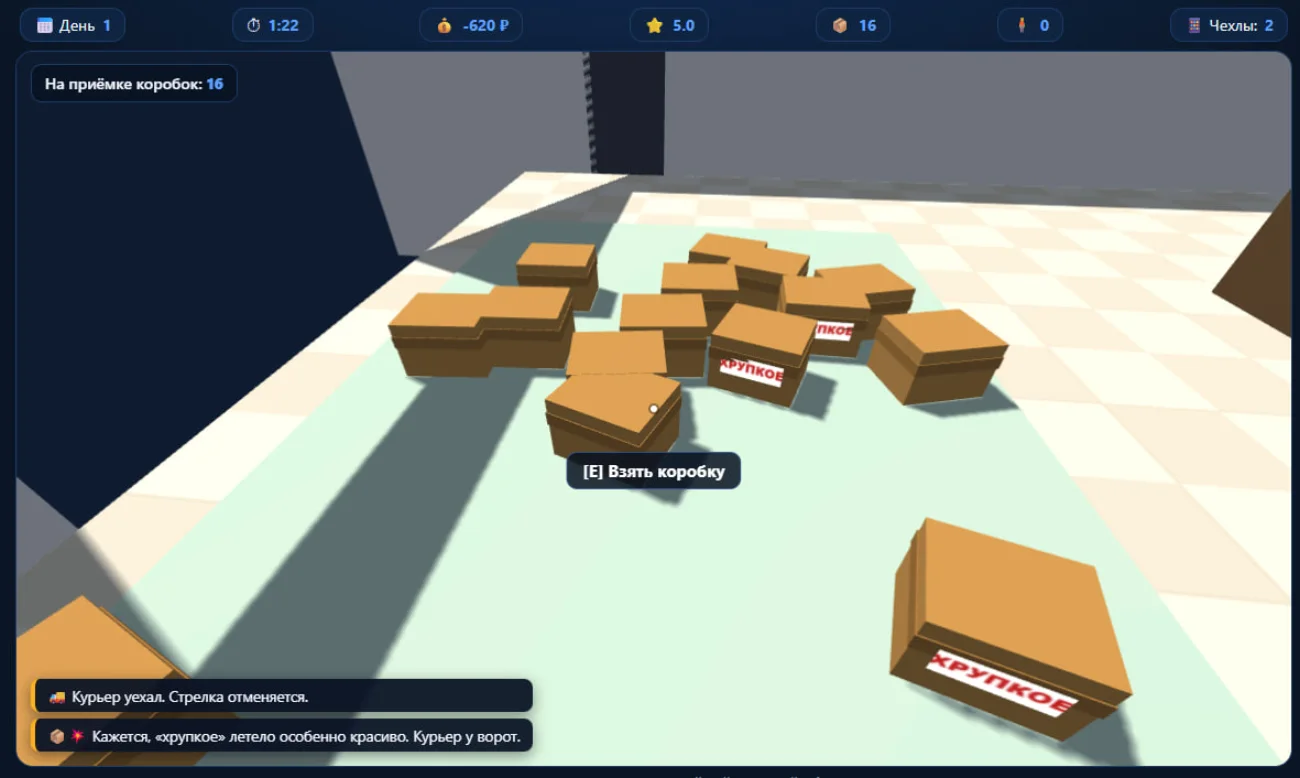
updates on every build · not a single Unity Editor open on the VPS
Why not just scp
ai.gr33njj.dev is a live WebGL preview that updates on every build. Sounds like a standard “upload files after the build” task. It wasn't.
The GitHub Actions runner lives on the developer's home PC — a Windows machine behind AmneziaVPN (a full-tunnel is required just to reach the Anthropic API from the region — without it Claude Code itself wouldn't work on that machine). AmneziaVPN, as it turned out empirically, blocks outbound port 22 completely — scp and ssh to the VPS simply hang or get Permission denied, while HTTPS (443) through the same tunnel goes through without a hitch.
The fix wasn't to find a workaround for SSH, but to drop it: a small Node service on the VPS (/opt/gazon-upload/server.js, a systemd unit listening only on 127.0.0.1:8899), with nginx proxying /upload out with a bearer token. The workflow zips the build and hits it with curl.exe -X PUT — plain HTTPS, the same port that's already open.
Compress-Archive -Path "Build/WebGL/*" -DestinationPath webgl-upload.zip -Force
curl.exe -X PUT -H "Authorization: Bearer $env:UPLOAD_TOKEN" `
  --data-binary "@webgl-upload.zip" https://ai.gr33njj.dev/upload -f
One more detail that surfaced later, while working on the visuals: the service wipes the target folder with find -delete before unpacking. One corrupted archive (unzip restoring a Windows-built zip sometimes drops directories without the execute bit) and the cleanup step starts failing with Permission denied on every subsequent deploy — because it can't even clean up the mess from its own previous crash. A self-blocking state. The fix is a chmod -R u+rwX right before find -delete, so the cleanup step doesn't depend on what the previous run left behind:
execFileSync('chmod', ['-R', 'u+rwX', TARGET_DIR]);
execFileSync('find', [TARGET_DIR, '-mindepth', '1', '-delete']);
A small detail, but a telling one: infrastructure for “just upload files” grows its own fault tolerance the moment it's automatic and nobody watches it every day.
Hunting an “orphaned” process
The runner isn't GitHub-hosted, it's self-registered on the home PC (Unity licensing and build time practically force that choice). And that's where the most interesting infrastructure bug of the whole project turned up.
The actual bug: a PowerShell call like & "Unity.exe" -batchmode ... returns control as soon as the STDOUT/STDERR stream closes — which happens a couple of seconds in, while Unity is still working hard through child processes (bee_backend.exe, netcorerun.exe). The runner decides the step finished and kills the whole process tree as “orphaned” — mid-build. From the outside this looked like random, unexplainable failures at different stages on different runs — exactly the kind of thing that usually gets written off as “flaky CI” and worked around with retries.
This was diagnosed not by guessing but from the runner's own diagnostic log (_diag/Worker_*.log, grepping for ProcessInvokerWrapper / stream read finished / Kill process). The fix is to not invoke the process via &, but via Start-Process -Wait -PassThru, which blocks on the real process handle instead of the stream closing:
$proc = Start-Process -FilePath $env:UNITY_PATH -ArgumentList @(
  "-batchmode", "-nographics", "-quit",
  "-projectPath", "$PWD",
  "-executeMethod", "Gazon.EditorTools.BuildScript.BuildWebGLCI",
  "-logFile", "unity_build.log"
) -Wait -PassThru -NoNewWindow
Alongside it, a handful of smaller but equally instructive findings: Unity Personal licensing doesn't tolerate an interactive Editor open at the same time as a parallel batch-mode run (they fight for the same license slot); the WebGL module in Unity Hub is called “Web Build Support,” not “WebGL Build Support” (a trap on flat ground); unzip returns exit code 1 on success-with-warnings, not only on real failure — you need to fail on >=2, not on “code isn't zero.”
The scene as a compiled artifact, not a file
Architecturally more important than any single bug is how the scene itself is structured. BuildScript.BuildWebGLCI() calls RegenerateScene() before every build: it creates an empty scene and builds absolutely everything in it — walls, shelving, the counter, spawners, managers — through code, via SceneBuilder.BuildScene().
private static void RegenerateScene()
{
    var scenePath = EditorBuildSettings.scenes.FirstOrDefault(s => s.enabled)?.path;
    var scene = EditorSceneManager.NewScene(NewSceneSetup.EmptyScene, NewSceneMode.Single);
    SceneBuilder.BuildScene();
    EditorSceneManager.SaveScene(scene, scenePath);
}
Practical effect: the .unity file stops being the source of truth. Any manual edit in the Scene view that isn't carried over into SceneBuilder.cs will be silently wiped by the next CI run. Annoying if you forget about it mid-session in the Editor. But this is exactly what makes the whole idea of an agent without Editor access possible: since the scene is a deterministic output of code, a scene edit can be made by simply editing a C# file and never opening Unity at all. Shelving, the counter, lighting, post-processing, characters — everything that appeared on the scene over the last few weeks appeared this way.
A second workflow
Besides the build, the repo has agent-task.yml — a dispatcher that takes a GitHub issue, runs headless Claude Code on the runner (claude --dangerously-skip-permissions, without which the agent waits for an interactive confirmation nobody will give) over the issue text, and commits and comments on the result.
Debugging this path surfaced two more local but instructive bugs: PowerShell 5.1 without a BOM reads UTF-8 in the system code page — a single Cyrillic string in a generated .ps1 script (comments and YAML fields untouched) broke parsing with “missing terminator”; GITHUB_TOKEN defaults to read-only on private repos — the agent's git push got a 403 until permissions: contents: write was explicitly set on the job.
Issues as a queue for the agent, not just a checklist
It started as a plain tracker: after the first working vertical slice, 15 issues went in for everything deferred (mini-games, penalties, the courier, night inventory, the VILBERIS rebrand). Useful, but ordinary.
What it turned into later is more interesting. When the next big commit closed thirteen of them in one sweep (a full MVP port), they didn't close silently — each issue got a comment with the exact commit hash that resolved it:
Resolved in the full MVP port (commit 1bfc8f7, “Full MVP port: 1:1 room, customer archetypes, phone/shop…”). Verified by CI compilation, balance is left to a live check in the Editor.
And issue #20 is no longer a “to-do item” — it's a self-contained brief, written by a human specifically for an agent that has neither memory of previous sessions nor Editor access: with context, with an explicit list of what to check, with a direct instruction that edits must go into code, not the live scene. In effect, the issue became a format for handing off a task between different agent sessions — an inter-agent API on top of an ordinary GitHub tracker.
Promise vs. reality
Back in July, MCP for Unity was set up in the project specifically so the local Claude Code session on the developer's PC would have live access to the Unity console and scene. A reasonable bet: since the VPS session is architecturally blind, at least one session should be able to see what's happening.
In practice, when this was actually needed — figuring out why the shelf labels weren't visible and why the camera felt “too high” — the local session reported that the Unity MCP tools were unavailable in that particular run. Which means: three agent surfaces worked on the project at the same time — this VPS session, a local session on the PC (nominally MCP-connected), and the headless agent from agent-task.yml — and none of them had live render access in the moment. The only one who genuinely had it was the developer, at their own open Editor. Proof of that: the one edit in this whole story that literally no agent could have made — Window → TextMeshPro → Import TMP Essential Resources — was done by a human, by hand, in ten seconds.
The takeaway isn't “MCP is useless,” it's narrower and more practical: having a capability and having a live connection in a specific session are two different things, and for fine visual tuning it's cheaper to rely on a human with an open Editor than on an agent's self-report of its own capabilities.
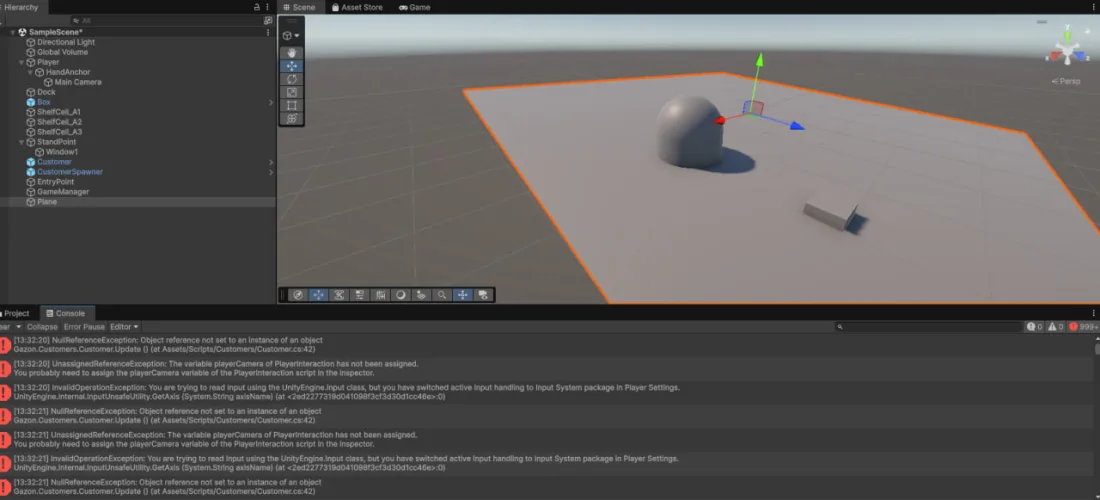
the one view none of the three agents had
The shelf that lay on its side (and what a blind agent can do about it)
The best illustration of where an agent's abilities end without a visual channel — the story of one 3D warehouse shelving model.
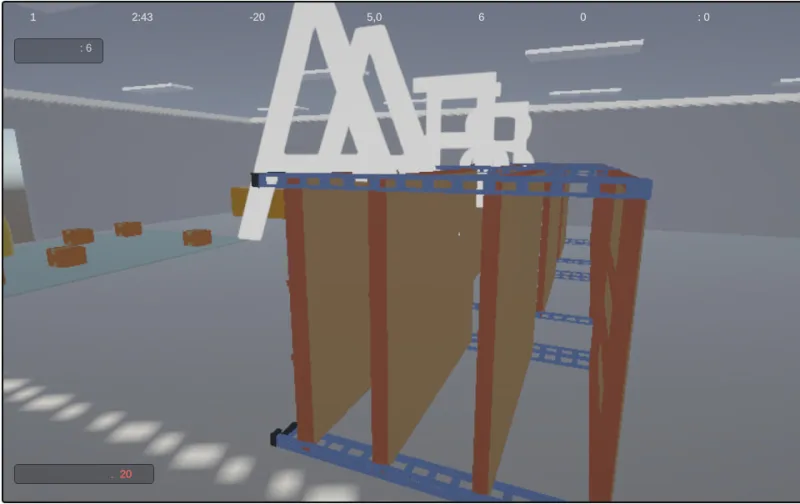
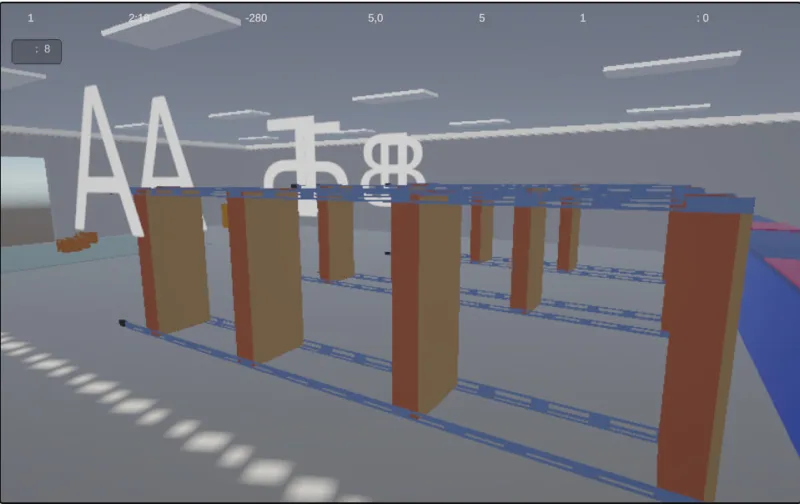
Real build screenshots — the same bug, two failed attempts, before the fix in step 4.
A ready-made model replaces procedural boards
A finished shelving model (found on Poly Pizza, downloaded as OBJ) is dropped in place of procedural boards. To avoid depending on whatever units a given asset pack happened to be exported in, a generic helper was written: measure the instance's actual Renderer.bounds and stretch it along each axis independently to the target in-game size.
private static void FitToSizeStretch(GameObject instance, Vector3 targetSize)
{
    var size = MeasureBoundsSize(instance, out _);
    instance.transform.localScale = new Vector3(
        targetSize.x / size.x, targetSize.y / size.y, targetSize.z / size.z);
}
Result, per the human's report: “the shelves aren't labeled, and something's off overall.” No screenshot, just a text description — trusting it and assuming “it's probably the labels” would have been premature.
Diagnosis instead of another guess
The same helper started logging actually-measured sizes straight into unity_build.log, which already flows into every CI run's artifacts anyway.
[FitToSizeStretch] WarehouseShelving: измерено=(0.87, 2.44, 2.13), цель=(6.00, 1.70, 0.70)The numbers said what a human couldn't have put into words: the model's “native” long axis wasn't the one the code assumed. Independent stretching along mismatched axes turned the shelf into geometric mush.
A rotation fix — numbers check out, human says it's still wrong
Where the numbers run out and reading code begins
This is where the real bug wasn't the direction of the rotation, but the order of operations: the rotation was applied before the stretch, and Transform.localScale pulls an object along its own, already-rotated local axes — not world axes. The correct order is the reverse: stretch the model first in its native, not-yet-rotated coordinate system, and only then rotate the finished geometry as a whole.
// сначала — растяжение в родных осях модели
FitToSizeStretch(visual, new Vector3(ShelfDepth, ShelfLength, topY));
// потом — поворот уже правильно проставленной геометрии
visual.transform.localRotation = ShelfModelRotation;
This isn't a guess — it's a bug findable by reading code, without a single glance at the result. And this is exactly the moment where the difference between a “blind agent” and an “agent with diagnostics” becomes tangible: where there's no visual channel, the only lever available is making the system produce numbers you can read, instead of guessing from a description.
The final check — whether the shelf now stands on its own feet or is still somehow off — could only be done by a human. That's the honest boundary of this approach.
Three things this was worth building for
- ◆Code as the source of truth for the scene — paid off completely. It allows structural changes (geometry, lighting, post-processing) without ever opening the Editor, and makes every edit reproducible from scratch on any machine.
- ◆The CI log as the only channel for an agent without Editor access — works, but demands discipline: if nothing gets logged, the agent just guesses. Worth learning to read unity_build.log by hand once (inside it's not UTF-8, and grep silently treats the file as binary by default — another small trap) to pull real numbers out of it instead of assumptions.
- ◆Issues as a protocol between agent sessions — an unexpectedly good fit. GitHub Issues weren't designed as an API for passing tasks between independent AI sessions with no shared memory, but they hold up surprisingly well in that role.
What this scheme doesn't replace is nothing surprising: perceptual, visual judgment calls (“does this look good,” “is the shelf standing straight”) eventually run into the fact that someone has to look at them with their own eyes. Not because the agents aren't smart enough, but because the task simply has no textual representation from which “does this look good” can be reconstructed. Everything else is a matter of logging discipline and patience for the CI round-trip.

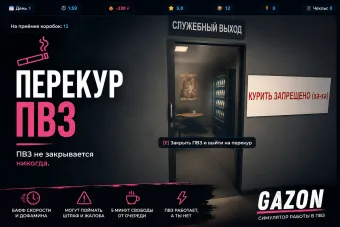
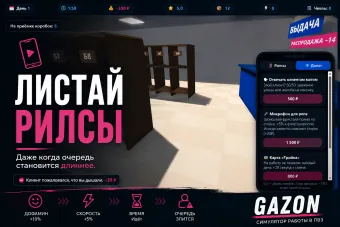
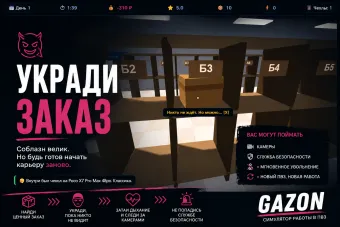

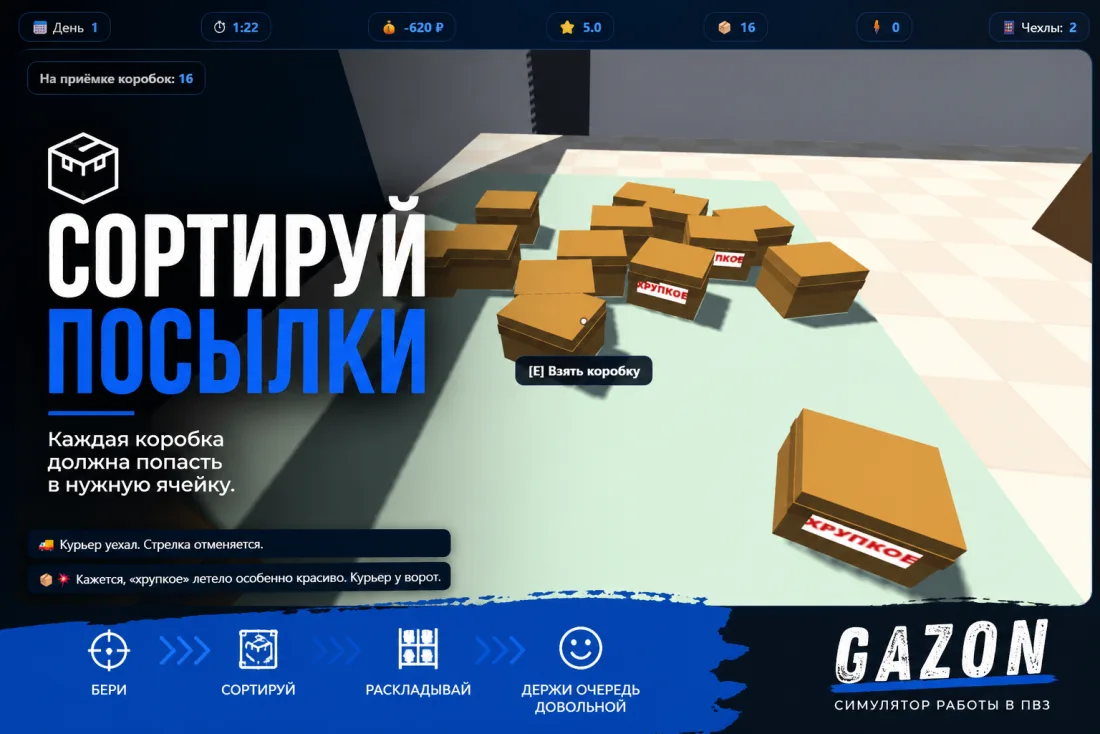
A pickup-point work simulator. Accept, sort, hand out — and survive to the end of the shift.
Building something with AI agents in the loop?
I design CI pipelines and agent workflows that hold up without a human watching every step.